Ultimate Guide to YouTube Comment Pickers (2026)
How to fairly and quickly pick winners for your YouTube giveaways.
Key takeaways
A YouTube comment picker is an online tool that selects one or more winners at random from the comments on a video, replacing the manual scroll-and-point method. It reads the video's public comments, applies filters such as keyword or one-entry-per-user, and draws from the qualifying pool so the selection is unbiased and visible to viewers.
- The main benefit is verifiability, not speed: viewers can see the pool size and the result appear together.
- Standard filters are keyword match, minimum likes, and one entry per user; each is effectively a rule of your giveaway and belongs in your published rules.
- Pickers use top-level comments only — replies are excluded to stop one person flooding the pool.
- Always draw backup winners in the same run as the main winner.
- Comments held in your moderation queue are not visible to any picker; approve legitimate ones before drawing.
What is a YouTube Comment Picker?
A YouTube comment picker is an online tool that automates the process of selecting one or more winners from the comment section of a YouTube video. Instead of scrolling through hundreds or thousands of comments and pointing at one by hand — a method that is slow, error-prone, and impossible for your audience to verify — the tool fetches the comments for you and draws winners completely at random.
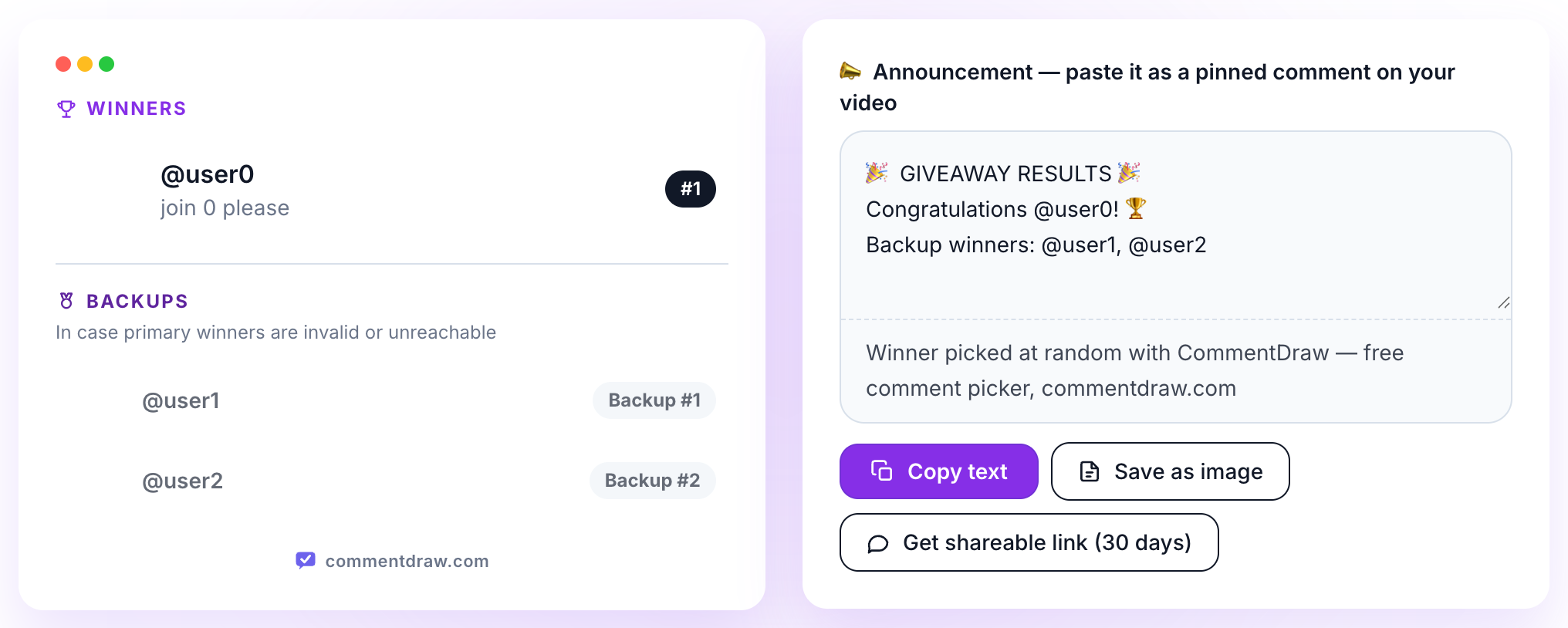
CommentDraw connects to the official YouTube Data API, which means it reads exactly the same public comments anyone can see under your video. It never asks for your password, never posts anything on your behalf, and doesn't require you to create an account. You paste a link, set a few filters, and get a verifiable result in seconds.
Why Use an Automated Tool?
Picking winners by hand might feel personal, but it creates real problems as your channel grows. An automated picker solves four of them at once:
- Time: reviewing a video with 5,000 comments manually would take hours. A comment picker processes the entire list in seconds, so you can announce winners while the excitement is still high.
- Fairness: humans are biased — we unconsciously favor familiar names, funny comments, or entries near the top. A random algorithm gives every eligible comment exactly the same chance.
- Filtering: automated tools enforce your rules for you, such as requiring a keyword, ignoring duplicate entries from the same user, or setting a minimum number of likes.
- Trust: when viewers see the draw happen through a neutral tool, they know the result wasn't hand-picked. That trust is what makes them enter your next giveaway too.
How to Use CommentDraw, Step by Step
Running a draw with CommentDraw takes less than a minute:
- Copy the URL of your YouTube video and paste it into the input field on the tool page.
- Wait a few seconds while the tool fetches the comments. On videos with up to 1,000 comments every one of them is read, free.
- Set your filters: an optional keyword the comment must contain, a minimum number of likes, and whether each user should only be counted once.
- Choose how many winners you need, and optionally add backup winners in case a winner doesn't respond.
- Click 'Start Draw' and watch the animated selection. You'll get a winner card with the username, the winning comment, and a link to the winner's channel.
Choosing the Right Filters
Filters are what turn a random draw into a well-run giveaway. Here is when to use each one:
- Keyword filter: Use it when your giveaway requires a specific word or hashtag in the comment (for example #giveaway). Only comments containing that word enter the draw, which automatically excludes off-topic comments.
- Minimum likes: Useful for rewarding quality: only comments that received at least the number of likes you set are included. Keep the threshold low — one or two likes — or you'll exclude most genuine entries.
- Unique users only: Prevents people from spamming dozens of comments to increase their chances. Each participant is counted once, no matter how many times they commented.
- Backup winners: Always add one or two. If the main winner never replies or turns out to be ineligible, you can move to a backup without re-running the draw.
Announce the Winner Transparently
How you announce the result matters almost as much as how you picked it. Record your screen while running the draw and include the clip in your next video or a community post — seeing the draw happen live removes any doubt. Announce the winner's username exactly as it appears, reply to the winning comment, and give a clear deadline for the winner to get in touch.
Never ask winners for payment details or sensitive personal data in public. If the prize requires a shipping address, move to email or a direct message, and say so openly in the announcement.
Common Mistakes to Avoid
- Running the draw before the deadline you announced — latecomers will rightfully complain.
- Forgetting to define entry rules up front, which makes every filter decision look arbitrary afterwards.
- Ignoring duplicate comments and letting one determined participant flood the draw.
- Not saving a screenshot or recording of the result in case you're asked to prove it later.
- Skipping backup winners and then facing a dilemma when the winner never responds.
Pro Tip
Always screen record your winner selection process and share it with your audience. A 30-second clip of the draw is the strongest proof that the result was 100% random — and it makes the announcement far more exciting to watch.
Frequently Asked Questions
Do I need to log in or install anything to use a comment picker?
No. CommentDraw runs entirely in your browser. You don't create an account, you don't grant access to your YouTube channel, and nothing is installed on your computer.
Does the tool see comments that YouTube hides or holds for review?
No. The tool reads public comments through the official YouTube API, so it sees exactly what any visitor sees under the video. Comments held for review or removed by YouTube are not included.
Can I re-run the draw if I don't like the result?
Technically yes, but you shouldn't — re-rolling until you like the outcome defeats the purpose of a random draw. Decide your rules in advance and use backup winners for genuine problems, such as a winner who never responds.
Is there a limit on how many comments can be processed?
Free draws cover videos with up to 1,000 comments, and every one of them is in the pool — for most giveaways that is the entire comment section. Above 1,000 CommentDraw does not run a partial draw; a one-time Full Draw Pass reads the whole comment section instead.